
Phone number
The Phone Number block is designed to help you collect phone numbers in a formatted, readable, and consistent way. Whether you are capturing contact details or building an application flow, this block helps ensure each phone number submitted in FormGenyus is clean and valid.
Add a Phone Number block
Simply type /phone to insert the Phone Number block.
To avoid untitled fields in results, add a title or label block above the Phone Number block, or add placeholder text by typing directly inside the block.
When a respondent selects the Phone Number block, a visual hint for entering the number and choosing a country appears. The input mask ensures the phone number uses the expected format. Open Preview mode to test it.
Respondents can type or select a country code from the dropdown menu. For countries sharing the same country code, matching countries appear in the dropdown list.
Phone Number settings
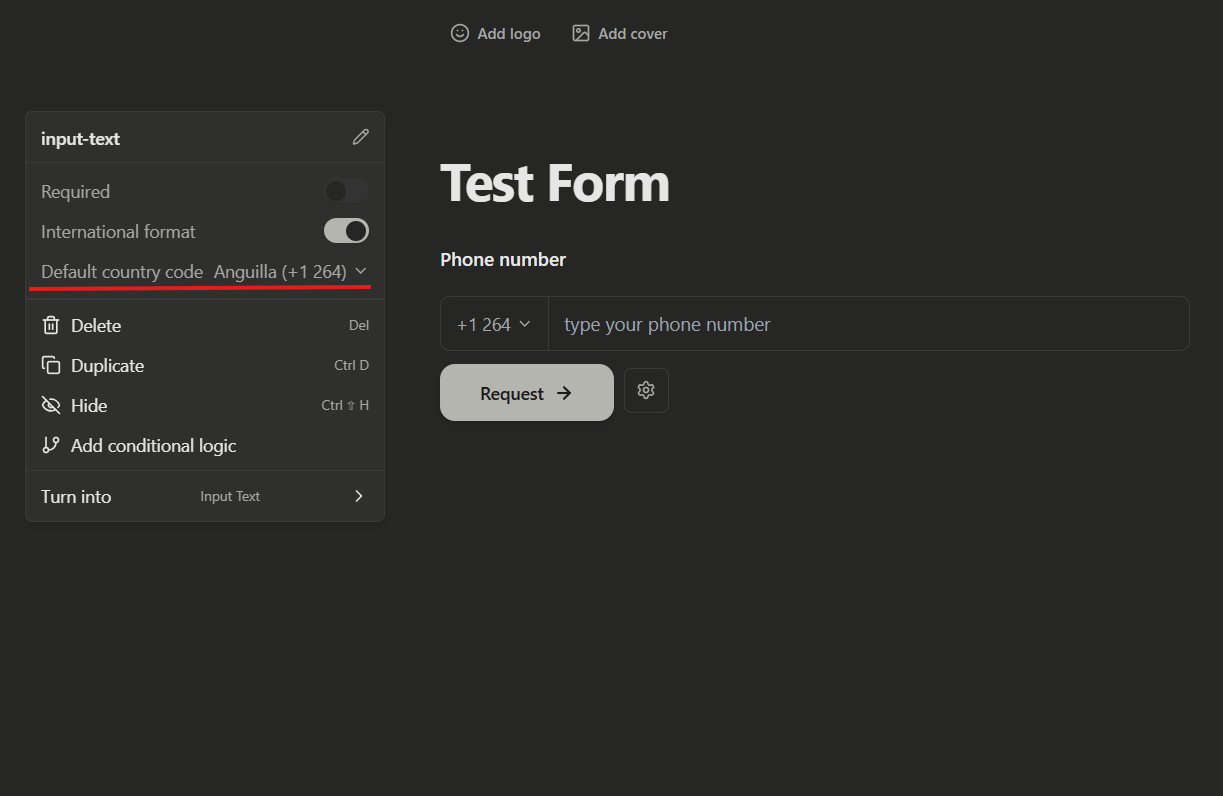
Default country code
You can choose a default country code to save time for respondents. Open block settings and select Default country code to choose from available countries.
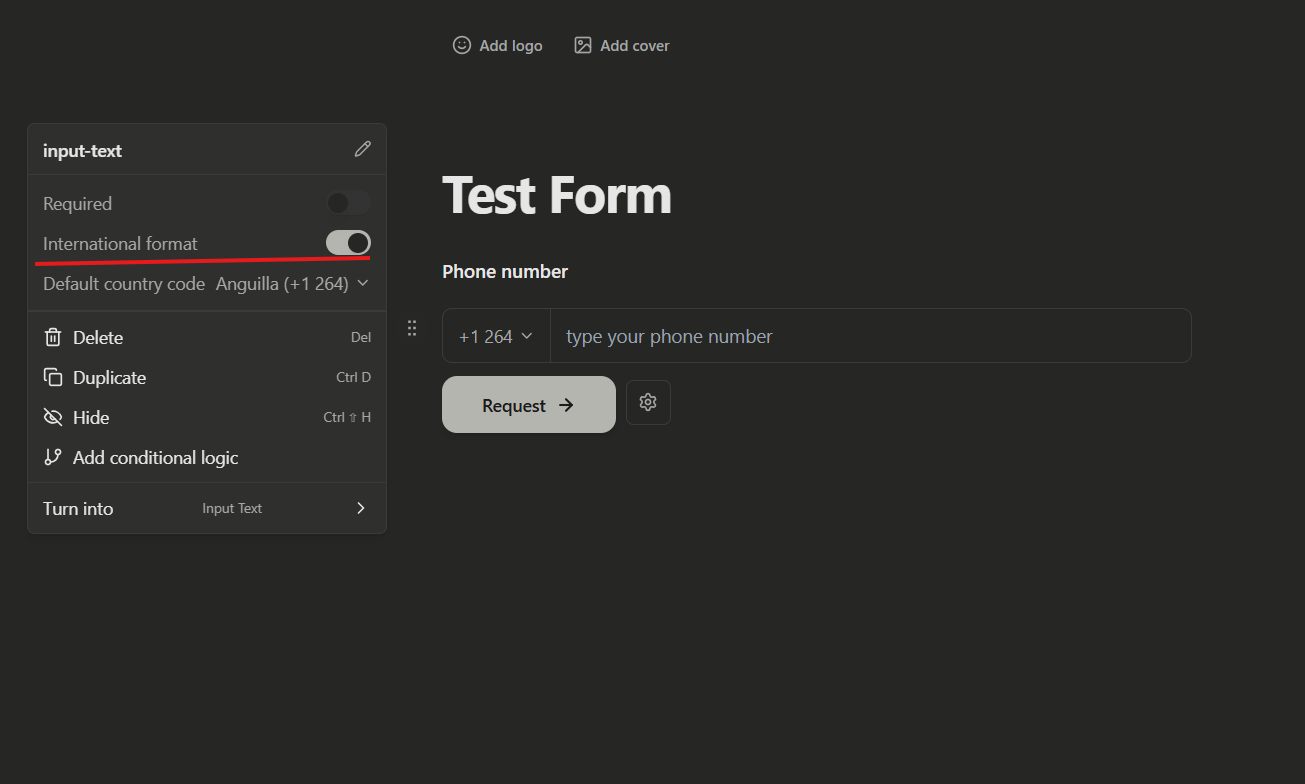
International format
New Phone Number blocks use international formatting by default. This adds spacing with country code and displays the expected number length based on the selected country.
You can disable this by turning off the International format toggle.
Older Phone Number blocks may not have international formatting enabled automatically. You can switch to the newer format by enabling the International format toggle in settings.
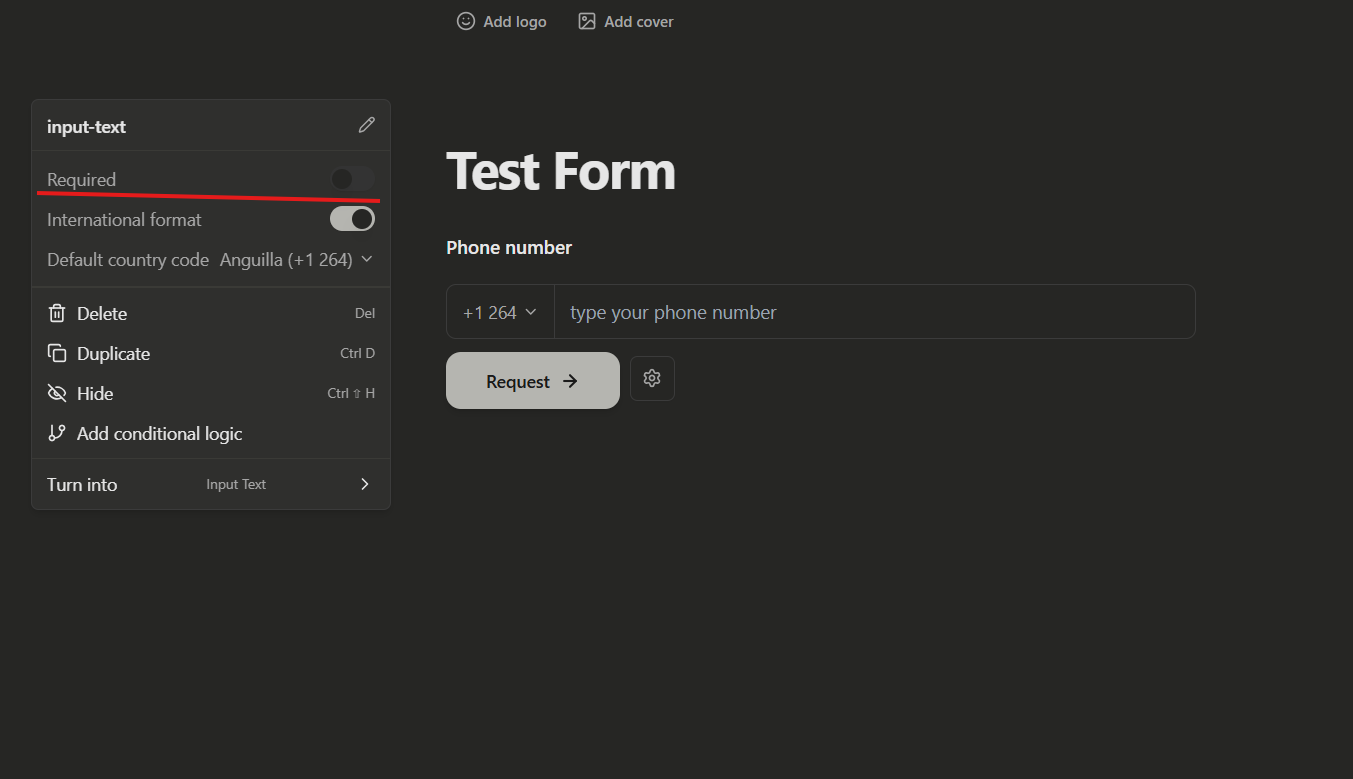
Make it required
Make the Phone Number block required by using the Required toggle.
Add a default answer
Add a default phone value when you need prefilled examples or admin-friendly draft values during setup.
View phone numbers
Phone number answers appear in submissions with formatted output, so your team can review and use contact details consistently.
Get started with form templates
Start from a template if you need a faster setup for lead capture, contact flows, or application forms that require phone input.